
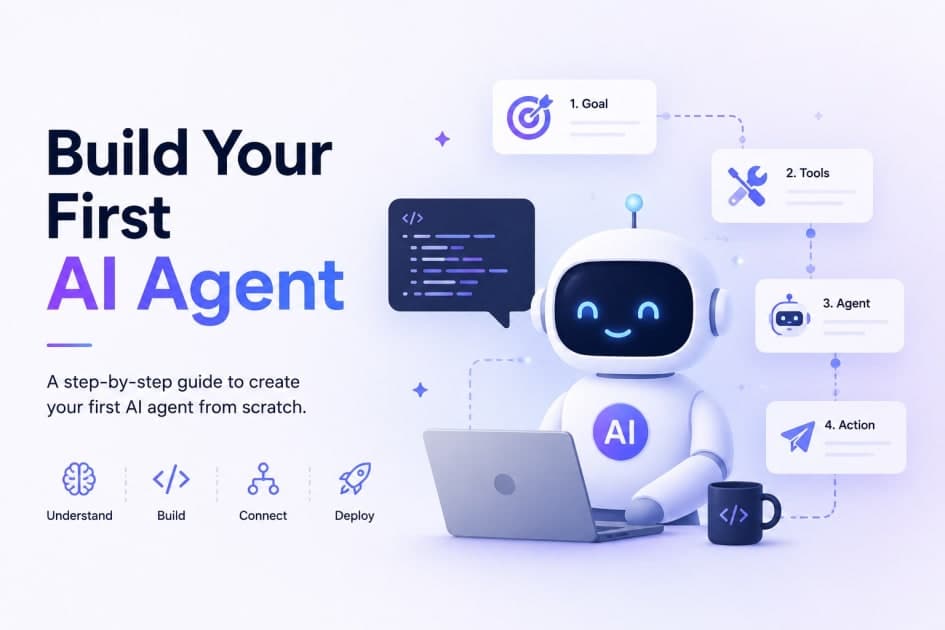
AI agents are no longer a research novelty. They're production systems that reason, use tools, and take actions autonomously — and over 73% of enterprises are actively building them in 2026. The agentic AI market is on track to grow from $7 billion in 2025 to over $93 billion by 2032.
But here's the thing most beginner guides get wrong: they either hand you a no-code drag-and-drop tool and call it an "agent," or they throw a wall of advanced code at you before explaining what's actually happening. This guide does neither.
By the end of this post, you'll understand what makes an AI agent different from a chatbot, how the core reasoning loop works, and you'll have a working Python agent you can extend. No PhD required — just Python 3.10+ and an API key.
What Is an AI Agent (and How Is It Different From a Chatbot)?
A chatbot responds. An AI agent acts.
When you ask a chatbot "What's the cheapest flight from Delhi to Mumbai on Friday?", it gives you a paragraph about how to search for flights. When you give the same task to an AI agent, it searches a flight API, compares prices, comes back to you with options, and — if you say yes — proceeds with the booking.
The difference is the loop. An agent doesn't generate one response and stop. It:
Thinks about what it needs to do
Acts by calling a tool (a function, an API, a search)
Observes what came back
Repeats until the task is done
This is called the ReAct loop — short for Reasoning + Acting. It's the most widely used architecture for building beginner-friendly agents in 2026, and it's the one you'll implement here.
What You'll Build
A simple research assistant agent that can:
Search the web for current information
Do basic calculations
Combine results from multiple sources to answer a question
It won't book flights or manage your calendar — yet. But it will demonstrate every core concept you need to go further: tools, the ReAct loop, memory, and guardrails.
Step 1: Set Up Your Environment
You'll need Python 3.10 or higher. Create a project folder and install the dependencies:
mkdir my-first-agent
cd my-first-agent
python -m venv venv
source venv/bin/activate  # Windows: venv\Scripts\activate

pip install langchain langchain-openai langgraph duckduckgo-search python-dotenv
Create a .env file in the root of your project and add your OpenAI API key:
OPENAI_API_KEY=your-key-here
Note: You can swap OpenAI for Anthropic's Claude or Google Gemini — the agent code stays the same. Only the LLM initialization changes. Claude Sonnet 4.6 and GPT-4o are currently the most capable models for agentic tasks.
Step 2: Define Your Tools
In an AI agent, a tool is just a Python function. The agent reads its name and docstring to decide when and how to use it. Write clear, specific docstrings — a vague description like "does a search" will confuse the model. Be precise about what the tool does and what it returns.
Create a file called agent.py:
from langchain.tools import tool
from duckduckgo_search import DDGS

@tool
def web_search(query: str) -> str:
    """Search the web for current information about a specific topic.
    Use this when you need up-to-date facts, news, or data not in your training.
    Returns a summary of the top results."""
    with DDGS() as ddgs:
        results = list(ddgs.text(query, max_results=3))
        if not results:
            return "No results found."
        return "\n\n".join(
            f"{r['title']}: {r['body']}" for r in results
        )

@tool
def calculate(expression: str) -> str:
    """Evaluate a mathematical expression and return the result.
    Input must be a valid Python math expression like '245 * 12' or '(100 / 4) + 3'."""
    try:
        result = eval(expression, {"__builtins__": {}}, {})
        return str(result)
    except Exception as e:
        return f"Error: {e}"
Two things to notice here. First, the @tool decorator is doing the heavy lifting — it reads your function signature and docstring to build the schema the LLM uses when deciding to call it. Second, the calculate tool uses a restricted eval to avoid security issues. In production, use a proper math library instead.
Step 3: Build the Agent
Now wire the LLM and tools together using LangGraph's create_react_agent:
import os
from dotenv import load_dotenv
from langchain_openai import ChatOpenAI
from langgraph.prebuilt import create_react_agent

load_dotenv()

# 1. Choose your LLM
llm = ChatOpenAI(model="gpt-4o-mini", temperature=0)

# 2. Register your tools
tools = [web_search, calculate]

# 3. Create the agent
agent = create_react_agent(llm, tools)
That's it. create_react_agent implements the full ReAct loop for you: it handles the thought → action → observation cycle, tool call formatting, and knows when to stop and return a final answer.
Step 4: Run It
Add this to the bottom of your agent.py to invoke the agent:
if __name__ == "__main__":
    result = agent.invoke({
        "messages": [
            {"role": "user", "content": "What is the current population of India, and how many times larger is it than the population of Australia?"}
        ]
    })
    print(result["messages"][-1].content)
Run it:
python agent.py
Watch what happens in the terminal. The agent will:
Think: "I need to find the current population of India and Australia"
Act: Call
web_search("current population of India 2026")Observe: Get back a result with a figure
Act again: Call
web_search("current population of Australia 2026")Observe: Get the second figure
Act: Call
calculate("1400000000 / 26000000")Return: A final answer combining everything
This is the ReAct loop in action. Without it, the model would have guessed. With it, it looked things up, computed the answer, and cited its reasoning.
Step 5: Add Memory
Without memory, your agent treats every message like a brand-new session. For a one-shot task that's fine. For a conversational agent, it's a problem.
Short-term memory keeps the agent aware of the current conversation. Here's how to add it with LangGraph's built-in checkpointer:
from langgraph.checkpoint.memory import MemorySaver

memory = MemorySaver()
agent_with_memory = create_react_agent(llm, tools, checkpointer=memory)

# Pass a thread_id to maintain context across turns
config = {"configurable": {"thread_id": "session-001"}}

agent_with_memory.invoke(
    {"messages": [{"role": "user", "content": "What's the GDP of Germany?"}]},
    config
)

# The agent remembers the last question
agent_with_memory.invoke(
    {"messages": [{"role": "user", "content": "How does that compare to France?"}]},
    config
)
The thread_id is the key. Reusing the same ID keeps the conversation alive. For persistence across server restarts, swap MemorySaver for a database-backed checkpointer (LangGraph supports Postgres and SQLite).
Step 6: Add Guardrails
An agent without limits is a liability. Two critical guardrails for any production agent:
Set a max iteration limit. Infinite loops can happen when a tool keeps returning ambiguous results. LangGraph respects recursion_limit:
config = {
    "configurable": {"thread_id": "session-001"},
    "recursion_limit": 10  # Max tool calls before stopping
}
Handle tool errors gracefully. Wrap tool calls in try/except and always return a string — never let exceptions bubble up silently. The agent reads the return value to decide what to do next; an unhandled exception breaks the loop.
For anything involving writes, payments, or external state changes, add a human-in-the-loop confirmation step before the agent acts. LangGraph has native support for this with interrupt_before.
What to Build Next
Your research agent is a starting point. Here's where to take it:
Add more tools: Connect it to a REST API (weather, stock prices, your company's database)
Swap the LLM: Try Claude Sonnet 4.6 for better instruction-following on complex tasks
Build a multi-agent system: Split responsibilities — one agent searches, one summarizes, one writes — and coordinate them with LangGraph or CrewAI
Deploy it: Wrap it in a FastAPI endpoint and containerize with Docker for production use
Add observability: Use LangSmith to trace every thought, action, and tool call for debugging
Frequently Asked Questions
Q: Do I need to know machine learning to build an AI agent? No. Building an AI agent is software engineering, not ML research. You're wiring together an LLM, Python functions, and a reasoning loop. Understanding Python well matters far more than knowing linear algebra.
Q: What's the difference between LangChain, LangGraph, and CrewAI? LangChain is the core library for LLM interactions. LangGraph is built on top of it and gives you fine-grained control over agent state and flow — it's the best choice for most production agents. CrewAI is higher-level and maps workflows to team-like "roles," making it fast to prototype multi-agent systems.
Q: Is the ReAct pattern the only way to build agents? No. Other patterns include Plan-and-Execute (where the agent plans all steps upfront before acting) and Reflexion (where the agent critiques its own outputs). But ReAct is the most flexible and beginner-friendly, and it's the right starting point for most use cases.
Q: How much does running an AI agent cost? For light usage with GPT-4o-mini, a typical research task costs a fraction of a cent. Heavier tasks with GPT-4o or Claude can cost a few cents each. For cost-sensitive applications, models like Gemini 3.1 Flash-Lite are significantly cheaper while still being capable for most agentic tasks.
Q: Can I build an AI agent without writing any code? Yes. Tools like Botpress, Langflow, and Monday AI let you build functional agents with drag-and-drop interfaces. But code-based agents are dramatically more flexible, deployable, and extensible — and the gap in complexity is smaller than it looks once you've followed a guide like this one.
Conclusion
Building your first AI agent doesn't require deep ML knowledge, a computer science degree, or a 500-line codebase. It requires understanding three things: what a tool is, how the ReAct loop works, and how to wire an LLM to both.
The agent you've built here — a research assistant with web search, calculation, and memory — hits every fundamental concept. Every production AI agent you'll encounter in the wild, from customer support bots to autonomous coding assistants, is a more elaborate version of exactly this pattern.
Your next step: Add one more tool to your agent. Connect it to a real API — weather data, stock prices, or a public dataset you care about. The moment you see your agent reason its way to an answer using live data you gave it, the architecture clicks in a way no tutorial can fully replicate.