
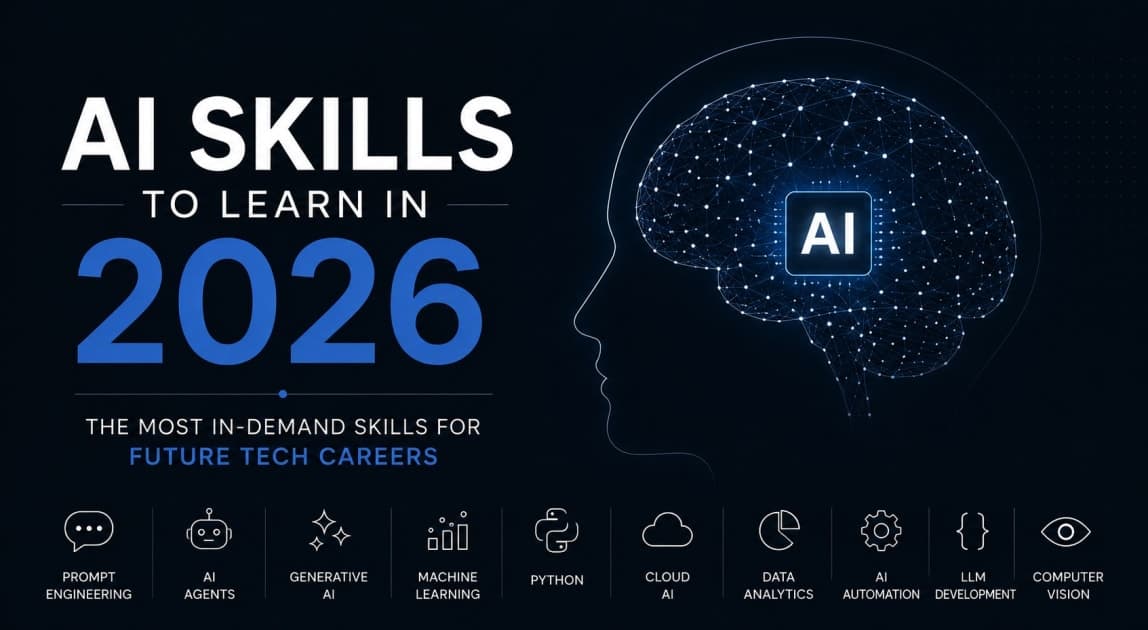
AI is no longer a trend. It's a baseline skill — and the gap between those who use it and those who build with it is growing every single day.
If you're a developer, creator, or professional in 2026, everyone around you is using AI. They're prompting ChatGPT. They're using Copilot. They're pasting into Claude. That's the floor now, not the ceiling.
The real advantage — the career-defining one — belongs to the people who know how to build with AI. Who understand Prompt Engineering, RAG, AI Agents, Automation pipelines, and Multimodal AI at a level deep enough to actually create something.
This post covers exactly what those skills are, why they matter right now, and how to start building them — whether you're a developer, a designer, a content creator, or just someone who wants to stay ahead of the curve.
Why "Just Using AI" Isn't Enough Anymore
Think about it this way.
In 2015, knowing how to use Google Docs didn't make you valuable. Knowing how to build something with Google Docs APIs did.
Same thing is happening right now with AI. Using tools like ChatGPT or Midjourney is table stakes. Companies are no longer impressed by "I use AI in my workflow." They're looking for people who understand how these systems work, how to architect solutions on top of them, and how to make them actually useful for real problems.
The good news? These are learnable skills. Not reserved for ML researchers with PhDs. They're engineering and design skills — and if you start building them today, you'll be ahead of 90% of your peers by the end of 2026.
Here are the five AI skills that will define careers this year.
1. Prompt Engineering — It's Way More Than Typing Instructions
Most people think prompt engineering is just "writing better questions." It is so much more than that.
<cite index="25-1">Prompt engineering has evolved through four distinct phases in four years, each making the previous approach look incomplete. In 2023, it was magic words and trial-and-error. By 2024, structure arrived — XML tags, chain-of-thought prompting, and few-shot examples. By 2025, context dominated. And in 2026, it now covers context architecture, agent orchestration, automated optimisation pipelines, enterprise governance, and security-aware system design.</cite>
In 2026, prompt engineering is closer to software architecture than copywriting.
What you actually need to know:
System prompts — How to define the behavior, persona, and constraints of an AI model from the ground up
Chain-of-thought prompting — Guiding AI to reason step-by-step before reaching a conclusion
Few-shot examples — Teaching the model your desired output format with 2–5 examples
Output formatting — Getting consistent, structured responses (JSON, Markdown, XML) for downstream use in apps
Prompt chaining — Breaking complex tasks into connected prompt sequences where each output feeds the next
If you're building any kind of AI-powered product, these skills are non-negotiable.
Where to learn: Anthropic Prompt Engineering Docs, OpenAI cookbook, Learn Prompting (free), fast.ai
2. RAG (Retrieval-Augmented Generation) — The Fix for Hallucinating AI
You've probably seen it — you ask an AI a question and it confidently makes something up. That's called hallucination. It's the biggest trust problem in production AI.
RAG is the fix. And it's become the production standard in 2026.
<cite index="25-1">Retrieval-Augmented Generation has matured from an experimental technique into a production-grade standard for enterprise AI in 2026. It solves the hallucination problem by retrieving relevant documents at query time and grounding the model's response in real, current data rather than training memory.</cite>
Here's how it works in plain terms:
You have a collection of documents, data, or knowledge
When a user asks a question, the system finds the most relevant chunks of that data
It passes those chunks to the AI along with the question
The AI answers based on actual, real data — not guesswork
This is how companies are building internal knowledge bots, customer support AI, legal document assistants, and research tools that actually work in production.
<cite index="25-1">The teams getting the best results retrieve only the specific chunks needed for each query — nothing more. Overloading the context window with marginally relevant documents degrades output quality even when the correct answer is technically present.</cite>
Skills to build: vector databases (Pinecone, Weaviate, ChromaDB), embedding models, chunking strategies, similarity search, LangChain or LlamaIndex frameworks.
3. AI Agents — From Answering Questions to Actually Getting Things Done
This is the one everyone's talking about — and for good reason.
An AI agent doesn't just respond to a prompt. It plans, acts, and adapts to complete a goal. You give it an objective; it breaks it down into steps, uses tools (web search, code execution, APIs, file systems), and works through the problem autonomously.
<cite index="28-1">Developers are treating Claude Code not merely as a tool but as an operating system for AI-native development. The emergence of "skills" — reusable, composable agent capabilities — as a formal abstraction layer represents a maturation beyond prompt engineering into agent software engineering.</cite>
Multi-agent systems take this further. Instead of one agent handling everything, you build teams:
Research agent — gathers information
Analysis agent — processes and interprets
Writer agent — produces the deliverable
Review agent — checks quality before delivery
For developers, understanding how to design, orchestrate, and debug these agent pipelines is becoming as foundational as knowing how to write a REST API.
Key concepts to learn: tool use / function calling, agent memory, task decomposition, multi-agent orchestration, LangGraph, AutoGen, CrewAI.
4. AI Workflow Automation — Connecting Everything Together
Building AI features is one thing. Integrating them into real workflows — so they actually save time at scale — is another skill entirely.
AI workflow automation is about connecting AI models to the tools, APIs, and data sources people already use. Think:
An AI that monitors your inbox, triages leads, and drafts responses
A pipeline that transcribes sales calls, extracts action items, and logs them in your CRM
A content system that researches, drafts, formats, and schedules posts automatically
<cite index="29-1">Tools like Zapier AI connect 7,000+ apps with natural language workflow creation for no-code agent automation, while production RAG platforms now include reasoning, hybrid search, and full multimodal support.</cite>
You don't have to write everything from scratch. But you do need to understand:
APIs — How to connect AI models to external services
Webhooks and triggers — What initiates a workflow
Structured outputs — Getting AI to return clean, parseable data
Error handling — What happens when the AI gets it wrong (because it will)
For non-developers: tools like Zapier, Make (formerly Integromat), and n8n let you build powerful AI automations without code. For developers, frameworks like LangChain and custom Python pipelines give full control.
5. Multimodal AI — Working Across Text, Image, Audio, and Video
The most exciting shift in AI skills to learn in 2026 is the move beyond text.
Multimodal AI means working with models that understand and generate across multiple formats — text, images, audio, video, code, and structured data — sometimes all at once.
<cite index="29-1">Modern frameworks now support real-time multimodal AI agents with voice, video, and data channels combined.</cite>
What this unlocks is enormous:
Developers can build apps that see, speak, listen, and reason
Creators can build tools that auto-generate branded content from a brief
Analysts can build systems that extract data from images, PDFs, and videos — not just text
Models like GPT-4o, Claude Opus, and Gemini Ultra are all natively multimodal. The skill isn't just knowing they exist — it's knowing how to design prompts, pipelines, and products that use these capabilities effectively.
Where to start: build a simple image analysis tool. Then build a voice-to-action pipeline. Then combine both. Multimodal skills are best learned by doing, not by reading.
Frequently Asked Questions
Q: Do I need to know Python to learn these AI skills? Python helps significantly — especially for RAG, agents, and automation pipelines. But many concepts can be explored first through no-code tools. Learn the concept, then learn the code.
Q: Which of these AI skills has the highest demand in 2026? AI Agents and RAG are seeing the most job postings and freelance demand right now. Prompt engineering is the most broadly applicable. Start with prompting, then layer in the others.
Q: How long does it take to learn these skills? You can get genuinely useful with prompt engineering in 2–3 weeks of daily practice. RAG and agents take 4–8 weeks to understand well enough to build with. Multimodal AI is a 1–2 month journey.
Q: Are these skills useful if I'm not a software developer? Absolutely. Marketers, writers, designers, product managers, and consultants who understand these concepts — even at a high level — are dramatically more valuable to their teams than those who don't.
Q: What's the best way to demonstrate these skills? Build something. A GitHub project, a live demo, a case study. Don't just list "AI skills" on your resume. Show what you built with them.
Conclusion: The Builders Win
The biggest advantage in 2026 isn't access to AI. Everyone has access. The advantage is knowing how to build with it.
The AI skills to learn in 2026 — Prompt Engineering, RAG, AI Agents, Workflow Automation, and Multimodal AI — aren't exclusive to PhDs or senior engineers. They're practical, learnable, and immediately applicable across every field.
Every week you wait, someone else is building the thing you had in your head.
Pick one skill from this list. Open your editor or your browser. Start today.
→ Save this post and share it with your team, your cohort, or your network — someone you know needs to read this right now.