
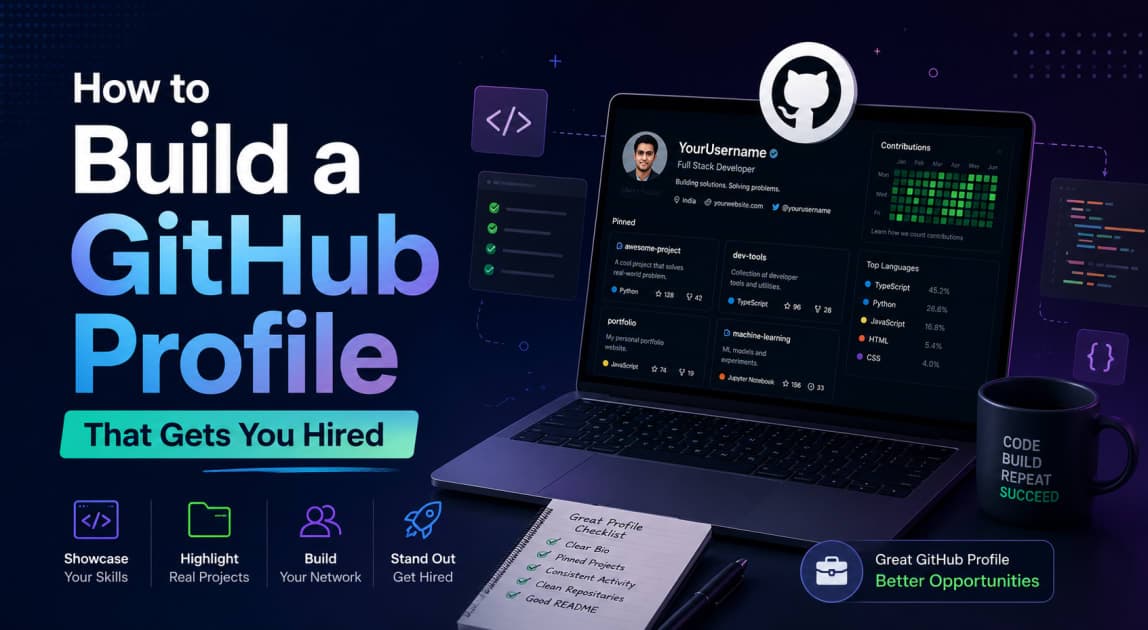
You spent four years in engineering. You know your DSA. You've got a few college projects tucked away in some folder on your laptop. But your GitHub? Empty. Or worse — it has three half-finished repos with no README and a contribution graph that looks like a barren desert.
Here's what most students don't realise: recruiters at Razorpay, Flipkart, Zerodha, and even TCS Digital are no longer just looking at your resume. They're clicking your GitHub link. And in under 60 seconds, they've decided whether to interview you or close the tab.
This guide shows you exactly how to build a GitHub profile that gets you hired — from the profile README to pinned repos to your contribution graph — with specific examples built for Indian freshers and final-year students.
Why Your GitHub Profile Matters More Than Your Resume
Your resume tells recruiters what you claim you can do. Your GitHub shows them what you've actually built. That's not a small difference — it's the entire game.
According to recent hiring data, 87% of tech recruiters check candidates' GitHub profiles before making interview decisions, and candidates with active GitHub profiles get 40% more interview callbacks. More striking: 73% of hiring managers say a strong GitHub profile can compensate for lack of formal education.
That last one should stop you in your tracks. Low CGPA? Tier-3 college? No internship? A strong GitHub profile can actually offset all of that — because it's real proof of skill, not a number on a marksheet.
Here's why this matters specifically for you:
Passive discovery — GitHub gives recruiters access to passive developer talent — people who aren't actively applying but are constantly building. You don't have to apply everywhere if recruiters can find you.
India is exploding on GitHub — India added 5.2 million engineers on GitHub in 2025 and is projected to surpass the United States by 2028. The competition is real, but so is the visibility.
It's your living portfolio — Unlike a static resume, GitHub shows real work, real skills, and real commitment to your craft. You update it every time you push code.
Pro Tip: Add your GitHub link to your resume, LinkedIn, Naukri profile, and email signature. Don't make recruiters hunt for it.
Step 1: Nail Your Profile Basics First
Before you touch a single repository, get your profile foundation right. Recruiters open a GitHub profile during a sourcing sprint and the clock starts fast — in under a minute, the goal is to decide whether this profile shows enough real engineering signal to justify deeper review.
Don't waste those 60 seconds on a blurry photo and an empty bio.
Profile Picture
Use a clear, professional headshot — the same one you use on LinkedIn. No anime avatars, no group photos, no dark/blurry selfies. A professional photo similar to your LinkedIn headshot is what recruiters expect. This signals you're serious.
Bio (160 characters max)
Your bio needs to answer three questions fast: who you are, what you build, and where you're headed. Keep it under two lines.
Bad bio: "Passionate developer | Learning every day | Open to opportunities"
Good bio: "Final-year CSE @ RGPV | Full-stack developer (React + Node) | Building dev tools | Open to SDE roles"
Include your current role or college, your primary tech stack, and one line about what you're looking for. That's it.
Name, Location, Links
Use your real full name — not a handle
Add your city (Bhopal, Pune, Bangalore — it matters for location-based recruiter searches)
Link to your LinkedIn and personal portfolio or resume PDF
Step 2: Write a Profile README That Introduces You
This is the single highest-impact thing most freshers skip entirely. In 2026, the Profile README has become the de facto developer resume for anyone in tech — and it takes less than 30 minutes to set up.
How to Create It
Create a new repository on GitHub with the same name as your username. Add a README.md file. GitHub automatically displays it at the top of your profile page.
What to Put In It
The ideal structure: who you are and what you do in lines 1–2, a section on what you're working on (2–3 current projects), your developer stats, featured projects with one-line descriptions, and how to reach you. That's it — clean, scannable, and evidence-based.
Here's a practical template:
👋 Hi, I'm [Name] — a CSE fresher from [College], Bhopal
🔧 I build [web apps / backend systems / ML tools] using [your stack]
🚀 Currently working on: [Project Name] — [one-line description]
📫 Reach me: [LinkedIn URL] | [email]
Below that, add your GitHub Stats widget (from github-readme-stats by anuraghazra — free, just paste the image URL) and a short tech stack section with language/tool badges from shields.io.
What NOT to Put
The most common mistake is treating your README like a resume dump — long lists of every technology you've ever touched, walls of badges that look impressive but say nothing, animated GIFs that distract from your actual work. Keep it clean and current.
Pro Tip: Update your README every quarter. Add one line about what you're currently building. Recruiters notice profiles that look alive and maintained.
Step 3: Pin the Right 4–6 Repositories
Your pinned repos are your highlight reel. They're the first thing a recruiter clicks after reading your bio. Choose wrong here and everything else falls apart.
Quality over quantity — 10–15 well-documented repositories is better than 100 empty ones. Focus on having 6 excellent pinned repos and archive the rest.
How to Choose What to Pin
Project Type | Should You Pin It? | Why |
|---|---|---|
Full-stack web app with live demo | ✅ Yes — always | Shows end-to-end ability |
ML/AI project with clear output | ✅ Yes | High demand in 2026 hiring |
Open-source contribution | ✅ Yes | Shows collaboration |
College assignment/lab work | ❌ No | Screams "no real projects" |
Half-finished project | ❌ No | Looks unprofessional |
"Hello World" or tutorial clone | ❌ No | Actively hurts your profile |
Key Tip: Aim for variety across your pinned repos — one full-stack project, one backend/API project, one ML or data project, one open-source contribution, and one tool/utility you actually use. This shows range.
The README Rule for Every Pinned Repo
A strong README for each pinned project should include: what the project does, why you built it, the tech stack used, how to run it locally, and screenshots or a live demo link if available.
No README = the project might as well not exist. Recruiters who were surveyed directly said: "Is there a README?" is one of the five things they check on every GitHub profile.
For Indian freshers specifically: deploy your projects for free using Vercel (frontend), Render or Railway (backend), or Hugging Face Spaces (ML models). A live link in your README is worth more than any screenshot.
Step 4: Make Your Contribution Graph Work For You
The contribution graph is the quickest first pass for recruiters. It won't tell them whether the code is good, but it does show rhythm. Recent activity, steady output, and visible return visits to the same body of work usually matter more than a profile that spikes for a weekend and then goes quiet for months.
You don't need to code every single day. But you do need to show consistent, intentional activity — not a burst of commits in December and then silence until placement season.
What Counts as a Contribution
Commits to public repos
Pull requests (opened or merged)
Issues opened or commented on
Code reviews on public repos
How to Keep the Graph Consistently Green
Work on one anchor project — Instead of opening 10 new repos, go deep on 2–3. Regular commits to one project show more credibility than scattered activity everywhere.
Contribute to open-source documentation — One README fix per week keeps your graph green and helps the community. Find a project you use (a library, a framework, a tool), fix a typo, improve a docs page, translate something. These count as real contributions.
Use feature branches — Use feature branches and pull requests even for personal projects to show you understand standard industry workflows. Commit to a branch, open a PR, merge it. It adds multiple contribution events per feature.
Pro Tip: Don't batch-commit weeks of work in one day just to fill in the graph. Recruiters can see commit timestamps and commit histories. Authentic, spread-out activity reads better than a single green spike.
Step 5: Make At Least One Open-Source Contribution
This is the step that separates a good GitHub profile from a great one — and almost no fresher does it.
Developers who contribute to open-source projects are showing something money can't buy: genuine passion. Contributing to a public project, often without payment, tells a hiring manager you invest in your growth beyond office hours.
One merged PR to an open-source project is worth more signal than five personal projects, because it proves you can read someone else's code, understand their standards, communicate with maintainers, and ship something that meets external review.
Where to Start as a Fresher
You don't need to contribute to React or Kubernetes on Day 1. Start here:
Good First Issues on GitHub — Search
label:"good first issue" language:Python(or JavaScript, Go, etc.) on GitHub. These are explicitly tagged for beginners.GSSoC (GirlScript Summer of Code) — India's biggest open-source program. Applications open in early spring. No gender restriction despite the name. Perfect for first-time contributors.
Hacktoberfest — Every October, thousands of repos open beginner-friendly issues specifically for contributions. Four merged PRs = a free T-shirt and a legitimate open-source entry on your resume.
Documentation fixes — Find any library you use in your projects. Check their GitHub Issues for
label:documentation. Fix a confusing sentence, improve an example, add a missing section.
Pro Tip: When you get a PR merged, pin that contribution repo on your profile. "Contributed to [ProjectName] — [what you fixed/added]" in your README is a genuine differentiator in placement interviews.
Step 6: Clean Up the Junk (This Hurts You More Than You Think)
Most students' GitHub profiles are cluttered with half-built projects, forked repos they never touched, and tutorial clones from 2 years ago. That project from when you were learning to code might be actively hurting your profile — recruiters often click through to older repos.
Do a hard cleanup before you start applying:
Archive old incomplete projects — Don't delete them (they're part of your history), but archive them so they don't show up in the default repos view.
Delete meaningless forks — Forked 50 repos to star them later? They add noise. Unforked or archived if you haven't contributed.
Rename repos sensibly —
project1,asdf,test123are red flags. Rename to something descriptive:expense-tracker-react,weather-api-nodejs.Add topics/tags to every pinned repo — GitHub lets you add topics like
react,machine-learning,python,api. This helps recruiters who search by technology find you.Fix broken links — Check every live demo link in every README. A 404 link tells a recruiter you don't maintain what you build.
GitHub Profile Checklist: Before You Apply
Area | Must-Have | Nice-to-Have |
|---|---|---|
Profile | Real photo, clear bio, city, links | Custom URL (github.com/yourname) |
README | Who you are, current stack, contact | GitHub stats widget, badges |
Pinned repos | 4–6 quality projects | Live demos for all of them |
Each repo README | What it does, tech stack, setup steps | Screenshots, CI/CD badge |
Contribution graph | Activity in last 90 days | Consistent green across the year |
Open source | At least 1 merged PR | Contributions to 2–3 projects |
Cleanup | No broken READMEs, no empty repos | Topics/tags on every repo |
Frequently Asked Questions About Building a GitHub Profile
Does GitHub profile matter more than CGPA for placement?
For off-campus placements and product companies (Razorpay, Zerodha, Groww, startups), yes — your GitHub is often reviewed before your CGPA even comes up. For mass recruiters like TCS and Infosys, CGPA still plays a role in initial shortlisting. But once you're in an interview, your GitHub is what you'll be asked about. Build both, but don't let a low CGPA stop you from starting your GitHub.
How many projects do I need on GitHub before applying?
You need quality, not quantity. Four to six well-documented, complete projects are enough to land interviews at good companies. Pin your best 4–6 projects only — each should have a solid README, clean code and folder structure, and extra points for live demo links or screenshots. One strong project beats ten empty ones every time.
Can I put private work or college projects on GitHub?
You can reference private work on your resume, but for GitHub, keep it public and original. Don't upload college assignment code if it's copied or copied-and-modified — it backfires in interviews. Build at least 2–3 projects from scratch that are entirely yours.
What languages should my GitHub projects be in?
Build in whatever language is relevant to the roles you're applying for. For SDE roles: Java, Python, or JavaScript/TypeScript. For data science: Python. For backend: Go or Node.js is increasingly valued. Your GitHub should reflect the stack you're targeting, not just what you learned in college (which is usually C and Java lab programs).
How long does it take to build a hire-worthy GitHub profile?
With focused effort, 4–6 weeks. Week 1: set up your profile README and clean up old repos. Weeks 2–3: build or polish two strong projects with full READMEs and live demos. Week 4: make your first open-source contribution. Weeks 5–6: add a third project and review everything before applying. That's a profile that holds up to recruiter scrutiny.
Is contributing to open source really necessary for freshers?
Not mandatory — but it's the fastest way to stand out. GitHub sourcing works best as a signal layer; recruiters look for engineers whose public contributions match the open role they're hiring for. Even one merged PR on a recognisable project shows you can work in a real codebase, not just your own.
Conclusion: Your GitHub Is Your Career Compounding Machine
Here's the bottom line: a strong GitHub profile doesn't just help you get one job — it works for you every day, passively, as recruiters across India search for engineers by language, technology, and contribution history.
Start with what you can control today:
Create your profile README — 30 minutes, massive impact, most people skip it
Pick your best 4 projects, write a proper README for each, deploy at least 2 with live links
Pin those 4 projects and archive everything else
Make one small open-source contribution this week — fix a doc, close an issue, translate something
Set a calendar reminder to push code at least 3–4 times a week — even small commits count
Share your GitHub link everywhere — resume, LinkedIn, Naukri, Unstop, email footer
Every commit you push is a line on a resume that updates itself. Every open-source PR is proof of skill that no interview question can take away from you.
Build in public. Get hired.