
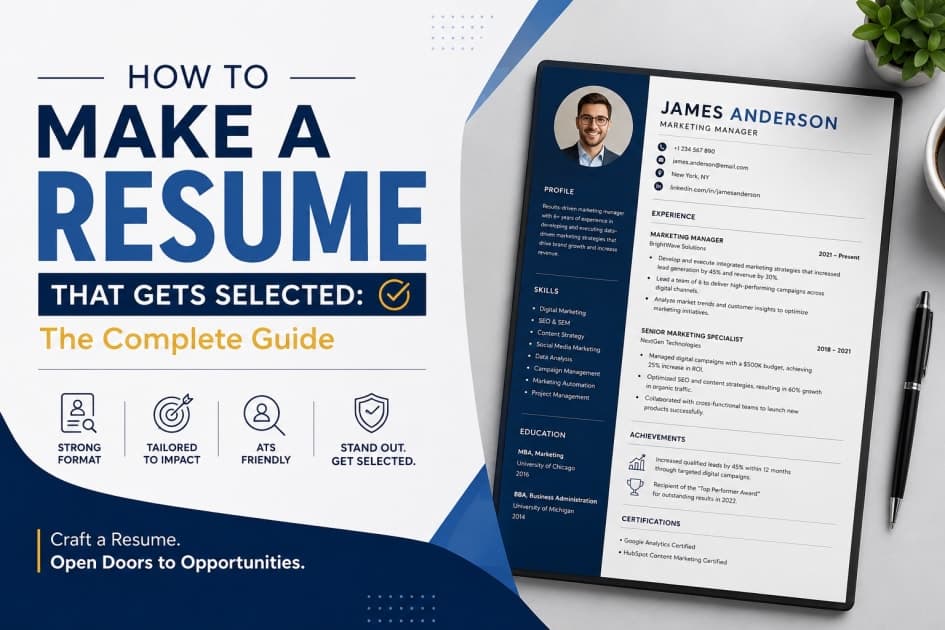
You sent 50 applications. You got zero replies.
Sound familiar? You're not alone. Studies show that 75% of resumes are rejected before a human even reads them — filtered out by an automated system that most candidates don't even know exists.
The problem isn't your skills. It's your resume.
This guide covers everything you need to know about how to make a resume that gets selected — from the best tools to build it, the exact reasons most resumes get rejected, and how to tailor your resume for every different job you apply to.
Let's break it all down.
What Is an ATS and Why Does It Decide Your Fate?
Before we talk tools or templates, you need to understand one thing: your resume is almost never read by a human first.
Most companies — from startups to giants like Google, Amazon, and Infosys — use an Applicant Tracking System (ATS) to filter incoming resumes. The ATS scans your resume for keywords, formatting, and structure. If you don't match, you're gone — automatically.
How ATS Works (Simply Put)
You apply for a job online
The ATS scans your resume for keywords from the job description
It scores your resume based on keyword match, section headers, and file type
Only resumes above a certain score reach a recruiter
This means a candidate with genuinely great skills can be rejected simply because they wrote "proficient in Python" when the job description said "Python development experience."
The fix? Use the right keywords. Build an ATS-friendly resume. And tailor it for every job. (We'll get there.)
Best Resume Tools to Build Your Resume in 2025
The tool you use to build your resume matters more than most people think. A bad tool can destroy your formatting, make your resume unreadable by ATS, or just look unprofessional.
Here are the best tools broken down by use case:
1. Overleaf (LaTeX) — Best for Developers & Engineers
If you're in tech, LaTeX resumes built on Overleaf are your gold standard.
Why it works: Clean, structured output that is ATS-readable and visually sharp
Best template: Jake's Resume (search on Overleaf — it's free and used by FAANG applicants globally)
Learning curve: Medium — but worth it
Cost: Free
Best for: Software Engineers, Data Scientists, CS freshers
💡 Pro tip: Use the
Jake's Resumetemplate on Overleaf. It's single-column, ATS-safe, and used by candidates who crack Google and Amazon.
2. Novoresume — Best for Clean Visual Resumes
Why it works: Pre-built sections, ATS-compatible layouts, and modern design
Best for: Non-tech roles, product managers, business analysts
Cost: Free (limited); paid plans from ~$16/month
ATS safe? Yes — single-column layouts are
3. Resume.io — Best for Beginners
Clean drag-and-drop builder with step-by-step guidance
Auto-suggests what to write in each section
ATS-friendly templates available
Cost: Free trial; ~$2.95/week after
Best for: First resume, no prior experience crafting one
4. Canva — Best for Design/Creative Roles Only
Beautiful visual templates
Warning: Most Canva resumes are NOT ATS-readable. The two-column layout, icons, and image-heavy design confuse ATS parsers
Only use for: Graphic designers, UI/UX designers, creative roles where you're submitting directly to a human, not an ATS
5. Google Docs (Jake's Resume Template) — Best Free Option
Simple, accessible, shareable
No fancy tools needed
Export as PDF for ATS compatibility
Search "Jake's Resume Google Docs template" — free to copy and edit
Best for: Anyone who wants a clean, no-cost resume that actually works
6. Rezi.ai — Best AI-Powered Resume Builder
Uses AI to tailor your resume to a specific job description automatically
Scores your ATS compatibility in real time
Cost: Free (basic); $29/month (pro)
Best for: People applying to multiple jobs who need quick tailoring
7. Jobscan.co — Best ATS Scanner (Not a Builder)
Paste your resume + the job description → Jobscan tells you your ATS match score
Shows exactly which keywords are missing
Cost: Free (limited scans); paid plans available
Best for: Checking your resume before submitting any application
Why Does Your Resume Keep Getting Rejected? (The Real Reasons)
This is the section most guides skip. Let's be direct.
Reason 1: You're Not Using Keywords from the Job Description
This is the #1 reason. The ATS is looking for exact or near-exact matches to keywords in the job description.
Wrong: "I have experience in making websites using web technologies" Right: "Built full-stack web applications using React.js, Node.js, and MongoDB"
Fix: Copy the job description into a text document. Highlight all technical skills, tools, and phrases. Make sure your resume includes these naturally.
Reason 2: Two-Column or Fancy Layouts
Columns, tables, icons, headers with text boxes — these look beautiful in Canva and confuse ATS completely. The ATS reads left to right, top to bottom. Anything in a second column may be completely ignored.
Fix: Use a single-column layout. Every time.
Reason 3: Wrong File Format
Sending a .docx when they asked for PDF? Or a designed PDF that's actually an image? Both fail ATS parsing.
Fix: Always export as a text-based PDF. Not an image PDF. Not a .docx (unless specifically requested).
Reason 4: Responsibilities Instead of Achievements
Most candidates write what they did. Recruiters want to see what you achieved.
Wrong: "Worked on backend development for an e-commerce project" Right: "Built REST APIs using Django that reduced page load time by 40% for 10,000+ daily users"
Fix: Use this formula — Action Verb + What You Did + Result/Impact
Reason 5: Irrelevant Information Taking Up Space
Hobbies like "watching movies" and "listening to music." A photo. Your full mailing address. Objective statements that say nothing.
These eat space and add zero value.
Fix: Remove anything a recruiter can't evaluate or doesn't care about. Every line should either prove a skill or show an achievement.
Reason 6: Generic Objective Statements
"Seeking a challenging position where I can utilize my skills and grow as a professional."
Every recruiter has read this 500 times this week. It says nothing about you.
Fix: Replace with a 2-line professional summary that mentions your role, top 2 skills, and what you bring.
"Final-year CS student with hands-on experience in React.js and Node.js. Built 3 full-stack projects and contributed to open-source repositories with 200+ GitHub stars. Looking for a backend engineering role where I can ship real products."
Reason 7: No Quantification — Anywhere
Numbers make recruiters stop scrolling. Zero numbers make them skip.
"Led a team" → weak
"Led a 4-person team to ship a product used by 2,000 students in 3 months" → strong
Fix: Go through every bullet point and ask: Can I attach a number here? Users, percentages, time saved, lines of code, team size, project scale — anything works.
Reason 8: Applying for the Wrong Role Level
Applying for a Senior Engineer role with 0 experience, or applying for a junior role with 5 years listed — both confuse ATS scoring and get auto-rejected.
Fix: Read the experience requirements. Match your resume level to the role level.
Reason 9: Missing or Weak GitHub / Portfolio Links
For tech roles, a broken GitHub link or an empty GitHub profile is worse than no link at all.
Fix: Only link GitHub if it has at least 3 well-documented public repos with READMEs. Pin your best projects.
Reason 10: Spelling Mistakes and Inconsistent Formatting
One typo can end your application. Inconsistent font sizes, mixed bullet styles, and unaligned sections signal carelessness.
Fix: Use Grammarly to proofread. Have one other person read your resume before you send it anywhere.
Why You Need a Different Resume for Every Job
This is the step 90% of candidates skip — and it's costing them interviews.
One resume for all jobs = average match for every job = rejected by most.
A tailored resume for each job = high ATS match = more interviews.
Here's how to think about it:
Different Jobs Need Different Emphasis
Role | What to Highlight |
|---|---|
Frontend Developer | React, TypeScript, UI/UX sense, portfolio projects, design tools |
Backend Developer | APIs, databases, system design, Node.js/Django/Spring, scalability |
Data Analyst | SQL, Python, Excel, Power BI/Tableau, analytical projects |
Product Manager | Product sense, cross-functional work, metrics, user research, roadmaps |
DevOps Engineer | CI/CD, Docker, Kubernetes, AWS/GCP, infrastructure automation |
Mobile Developer | Flutter/React Native, app store submissions, mobile UX |
Same person. Different resumes. Different keywords. Different order of sections.
How to Tailor Your Resume for Each Job (Step-by-Step)
Step 1: Keep a Master Resume Build one complete resume with every skill, project, internship, and achievement listed. This is your source document — never send this directly.
Step 2: Copy It for Each Application Duplicate the master. Rename it: resume_company_role_2025.pdf
Step 3: Read the Job Description Carefully Highlight every technical skill, soft skill, tool, and phrase the company uses.
Step 4: Mirror Their Language If they say "REST API development" — your resume should say "REST API development," not "web API work."
Step 5: Reorder Your Sections If the job is heavy on system design, move that project to the top. If it's a startup that values shipping fast, lead with your fastest-built project.
Step 6: Cut Irrelevant Points If a bullet point doesn't match this specific job, remove it and use the space for something relevant.
Step 7: Run It Through Jobscan Paste your tailored resume + the job description into Jobscan. Aim for a 75%+ match score before applying.
Resume Structure That Actually Works in 2025
Here's the exact order of sections for a tech fresher's resume:
1. Header
Full Name (large, bold)
Email | Phone | LinkedIn URL | GitHub URL | City, State
No photo. No full address. No date of birth.
2. Professional Summary (2–3 lines)
A tight, keyword-rich summary of who you are and what you bring. Write this last — after all other sections are done.
3. Technical Skills
List languages, frameworks, tools, and platforms.
Languages: Python, JavaScript, Java
Frameworks: React.js, Node.js, Django
Tools: Git, Docker, Postman, VS Code
Databases: MySQL, MongoDB, PostgreSQL
Cloud: AWS (S3, EC2), Firebase
4. Projects (Most Important for Freshers)
Each project should have:
Project name + tech stack used
2–3 bullet points: what you built + how + impact or scale
GitHub link (if public and well-documented)
5. Work Experience / Internships
If you have any — even a 1-month internship — put it here. Use the Action + Task + Result format for every bullet.
6. Education
Degree, College Name, Graduation Year, CGPA (only if 7.5+)
No 10th/12th marks unless explicitly required
7. Achievements & Certifications (Optional but Powerful)
Hackathon wins
Coding competition ranks (LeetCode, Codeforces)
Certifications (AWS, Google, Coursera — only relevant ones)
Open-source contributions
8. What to Leave Out
❌ Hobbies (unless directly relevant)
❌ References ("available on request" wastes space)
❌ Photograph
❌ Date of birth / gender / marital status
❌ Objective statement (replace with professional summary)
❌ Unrelated part-time work
Frequently Asked Questions About Resume Writing
Q: Should my resume be 1 page or 2 pages? For freshers and candidates with less than 3 years of experience: always 1 page. Recruiters spend an average of 6–7 seconds on a first scan. Two pages dilutes your strongest points.
Q: Is a photo on a resume good or bad? Bad — for most tech and corporate roles in India and globally. Photos invite unconscious bias and add no professional value. Leave it off.
Q: What font should I use on my resume? Stick to clean, ATS-safe fonts: Calibri, Arial, Garamond, or Lato. Size 10–12 for body text, 14–16 for your name. Avoid decorative fonts.
Q: Should I include my CGPA? Include it if it's 7.5 or above. If it's below that, leave it out — your projects and skills speak louder.
Q: How many projects should a fresher include? 3–4 well-documented projects are better than 7 half-explained ones. Quality over quantity. Each project should have a clear description, tech stack, and at least one measurable outcome.
Q: Is LinkedIn important on a resume? Yes — but only if your LinkedIn profile is complete and updated. A half-filled LinkedIn profile hurts more than it helps.
Conclusion
Knowing how to make a resume that gets selected isn't about picking the prettiest template — it's about understanding how the system works and engineering your resume to beat it.
Here's your quick recap:
Use the right tools — Overleaf, Google Docs (Jake's template), or Rezi for tech roles
Never use two-column layouts — they destroy your ATS score
Quantify everything — numbers make your bullets land
Tailor for every job — one master resume, customized copies per application
Match the job description language — keyword alignment is everything
Cut the fluff — photo, DOB, unrelated hobbies, generic objectives
Your college name isn't on the shortlisting checklist. Your skills, proof of work, and a well-crafted resume are.
If you're a student from a Tier-2 or Tier-3 college trying to land off-campus placements, Velonx was built for exactly this.
On Velonx, you don't just build a resume — you build a proof-of-work profile that shows recruiters what you've actually shipped: GitHub contributions, hackathon wins, live projects, and a skills leaderboard that puts you in front of companies that care about what you can do — not where you studied.